
📄 CSS Essay 2025 — Fully Solved ⬇ Download PDF Your browser can’t display this PDF inline. Click here to download it instead.
📄 CSS Essay 2025 — Fully Solved ⬇ Download PDF
https://docs.google.com/viewer?url=https%3A%2F%2Fscholareye.xyz%2Fwp-content%2Fuploads%2F2026%2F08%2FCSS_Essay_2025_Fully_Solved.pdf&embedded=true 📄 CSS Essay 2025 — Fully Solved ⬇ Download PDF Your browser can’t display this PDF inline. Click here to download it instead.
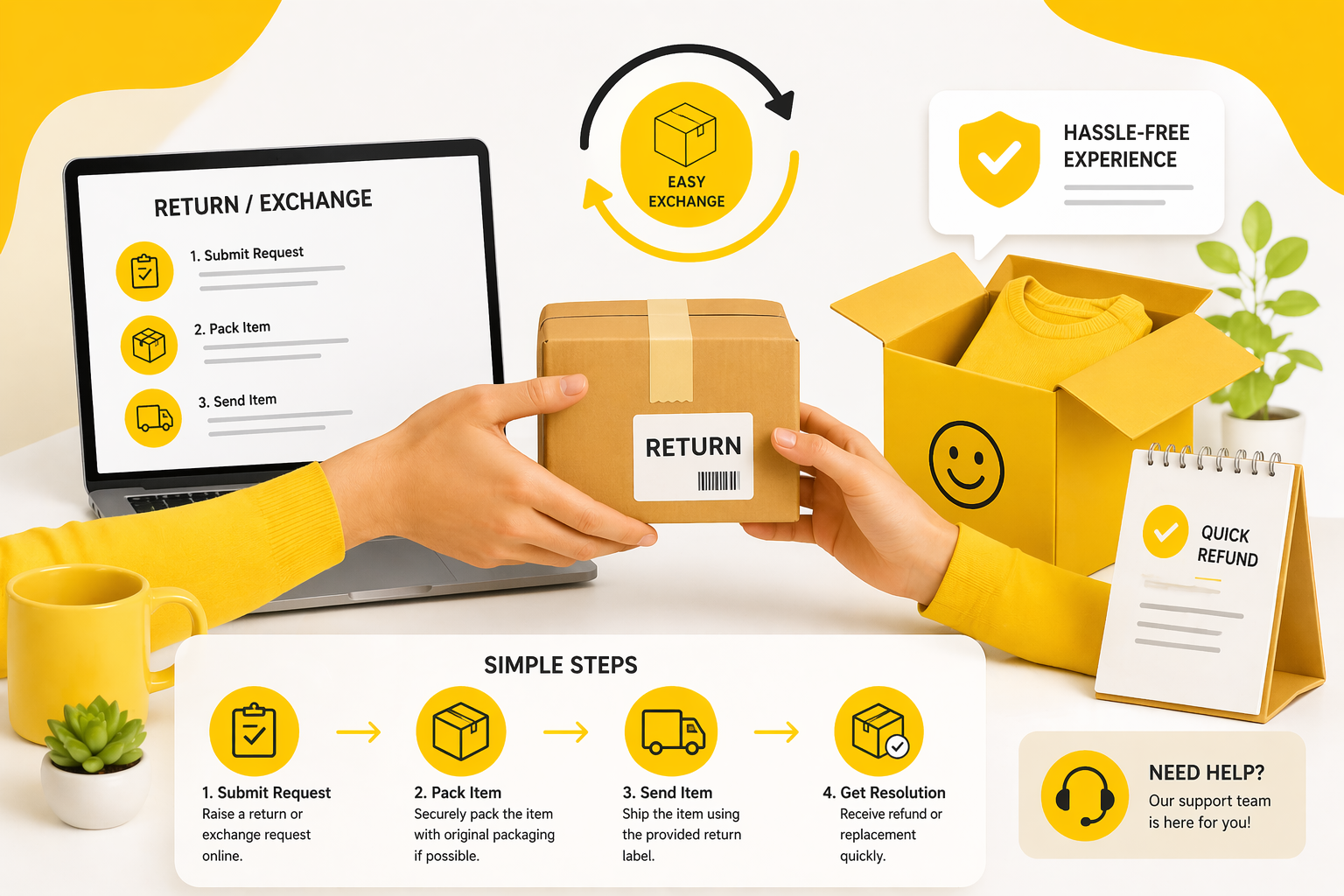
How to Return or Exchange Products Hassle-Free
We’ve all been there — a package arrives and something isn’t quite right. Maybe it’s the wrong size, a different color than expected, or the item arrived damaged. The good news is that returning or exchanging a product online doesn’t have to be a frustrating ordeal. With the right knowledge and a few smart steps, you can handle any return smoothly, quickly, and without the stress. Here’s exactly how to do it. 1 Step One Read the Return Policy Before You Do Anything The very first thing you should do — before contacting customer support, before repackaging anything — is locate and read the store’s return policy. This document tells you everything: how many days you have to return an item, what condition it needs to be in, whether you need the original packaging, and who covers the return shipping cost. Most online stores have their return policy in the website footer or in your order confirmation email. Don’t assume all stores follow the same rules — policies vary significantly between retailers, especially for electronics, clothing, and sale items which often have stricter conditions. Key Detail: Pay close attention to the return window. Some stores give you 30 days, others only 7. If your deadline is approaching, act immediately — missing it by even one day can void your right to return entirely. 2 Step Two Document the Problem With Photos and Video If your item arrived damaged, defective, or incorrect, the single most powerful thing you can do is document it thoroughly before doing anything else. Take clear photos and a short video showing the issue — the damaged packaging, the defective part, or a side-by-side comparison if you received the wrong item. This documentation protects you completely. It serves as undeniable proof in case the store disputes your claim, and it speeds up the resolution process dramatically. Most support teams will fast-track your case the moment you send clear visual evidence rather than just a written complaint. Key Detail: Photograph the item inside the original packaging before you unpack it fully. This proves the damage happened during shipping, not after delivery — which is critical for getting a full refund or replacement approved quickly. 3 Step Three Contact Customer Support the Smart Way When you’re ready to initiate the return, reach out to customer support through the right channel. Most stores prefer email or their online portal for return requests — this creates a paper trail and gives you written confirmation of everything agreed upon. Avoid phone-only solutions unless you follow up with a written summary email. Be clear, concise, and polite in your message. Include your order number, a brief description of the issue, and attach your photos. State clearly whether you want a refund, an exchange, or store credit. The clearer your request, the faster the support team can act on it without back-and-forth delays. Key Detail: Always keep a record of your return request — screenshot the confirmation page or save the email thread. If anything goes wrong later, this becomes your most important piece of documentation. 4 Step Four Pack the Item Properly for Return Shipping How you repackage the item matters more than most people realize. A poorly packed return that arrives damaged can be rejected entirely, leaving you with nothing. Use the original packaging whenever possible — it’s designed for the product and already meets shipping standards. If you no longer have it, use a sturdy box with adequate bubble wrap or padding. Include everything that came with the original order: accessories, manuals, free gifts, and any tags still attached. For clothing returns especially, items must typically be unworn, unwashed, and with original tags still on. Removing a tag — even accidentally — can make a return ineligible. Key Detail: Once you drop off the return, save the tracking number from the courier. Share it with the store as proof of dispatch. This protects you if the package gets lost in transit and ensures your refund isn’t delayed waiting for confirmation. 5 Step Five Know the Difference Between a Refund and an Exchange Before you submit your return request, decide what outcome you actually want — and make sure that option is available under the store’s policy. A refund returns your money to the original payment method, which can take 5 to 10 business days depending on your bank. An exchange sends you a replacement item, which is faster if the product you want is in stock. Store credit is a third option that many shops offer, and it’s often the fastest resolution of all since no shipping is required on the store’s side. Consider store credit if you’re happy with the shop overall and plan to buy again — some stores even offer a small bonus credit as goodwill for the inconvenience. Key Detail: If you paid via credit card, you may have additional consumer protection rights beyond what the store offers. Check with your bank or card provider — many offer purchase protection that covers damaged or incorrect items independently of the retailer’s own policy. 6 Step Six Follow Up Calmly If You Don’t Hear Back Returns don’t always resolve themselves automatically. If you haven’t received confirmation within 3 to 5 business days of submitting your request, or if your refund hasn’t arrived within the stated timeframe, follow up. A polite, professional follow-up message referencing your original request number moves your case back to the top of the queue. If the store is unresponsive despite multiple follow-ups, escalate — contact them through a different channel such as social media or live chat, or file a dispute with your payment provider. Document everything throughout the process so you have a complete record if escalation becomes necessary. Key Detail: Staying calm and professional in all communications always works in your favor. Customer support teams are more likely to go the extra mile — offering faster resolutions or goodwill gestures — when the interaction is respectful on both sides. MegaCarto Store Shop

5 Smart Ways to Save Money While Shopping Online
Online shopping has made our lives incredibly convenient — but without a clear strategy, it can quietly drain your budget. The good news? Saving money while shopping online doesn’t require hours of research. It just takes a few smart habits and the right tools. Whether you’re shopping for electronics, fashion, home goods, or everyday essentials, these five tips will help you shop smarter and spend less. 1 Tip One Hunt for Coupon Codes Before Every Purchase Before you hit that “Buy Now” button, spend 60 seconds searching for discount codes. This single habit can save you anywhere from 5% to 40% on your order. Open a new tab and type the store name plus “promo code” or “coupon 2025” — you’d be surprised how many active deals are hiding in plain sight. Browser extensions like Honey or RetailMeNot automatically apply the best available coupon at checkout, doing the work for you in seconds. Many stores also send exclusive codes to new email subscribers — it’s worth signing up before your first order. Pro Tip: Check a store’s own social media pages and newsletter. Brands frequently run flash sales and send exclusive codes only to their followers and subscribers. 2 Tip Two Master the Art of the Wishlist — Then Wait Impulse purchases are the biggest enemy of a healthy budget. Instead of buying the moment something catches your eye, add it to your wishlist and wait 48 to 72 hours. You’ll often find that the urge to buy fades — or better yet, the price drops on its own. Many e-commerce platforms actively monitor wishlists and will send you a price-drop notification or even a personal discount to win you back. Patience is genuinely one of the most powerful money-saving tools available. Pro Tip: Around major shopping events like Black Friday, Eid sales, or End-of-Season clearances, items sitting in your wishlist often drop significantly. Add early and buy smart. 3 Tip Three Compare Prices Across Multiple Stores Loyalty to a single store is admirable, but not when it costs you money. The same product can vary wildly in price across different platforms. Price comparison takes just a few extra minutes and can easily save you hundreds on a single purchase. Use Google Shopping, PriceRunner, or dedicated comparison tools to see prices side by side. Factor in shipping costs and delivery times — sometimes a slightly higher product price comes with free shipping, making it the better deal overall. Pro Tip: Don’t forget to check if a brand has its own official store. Brands often offer better pricing, authentic products, warranty protection, and flexible return policies directly. 4 Tip Four Take Full Advantage of Cashback and Rewards Every purchase you make can be secretly earning money back for you — if you use the right tools. Cashback platforms like Rakuten, TopCashback, and ShopBack give you a percentage of your spending back as real cash or gift cards, simply for shopping through their portal. Pair this with a cashback credit card, and you’re essentially getting paid to shop. Stack these with coupon codes (yes, most platforms allow it) and you can effectively reduce the net cost of almost everything you buy online. Pro Tip: Some banks and payment apps in Pakistan offer cashback on online transactions — check your bank’s app or website. Even 2–3% back on regular purchases adds up to significant savings over a year. 5 Tip Five Shop Bundles and Multi-Buy Deals Smart shoppers think in bundles. Buying two or three related products together almost always works out cheaper per item than purchasing each one individually. Look for “buy more, save more” deals, bundle offers, and product kits — especially for everyday items like tech accessories, kitchen goods, or personal care products. Consider timing your larger purchases around a store’s seasonal sale or bundle event. Many stores run category-specific promotions where bundling is the biggest discount trigger — and you get everything you need in one convenient order. Pro Tip: If you’re buying a product that needs accessories — like a phone case, charger, or screen protector — look for bundle deals that include them together. You’ll almost always pay less than buying each item separately. MegaCarto Store Ready to Shop Smarter? Explore MegaCarto’s curated collection of top-quality products at prices that respect your budget. New deals drop every week — don’t miss out. Exclusive Online Deals Trusted Quality Products Fast & Reliable Delivery Easy Returns Shop MegaCarto Now → No account needed to browse · New arrivals added weekly The Bottom Line Saving money online isn’t about being cheap — it’s about being intentional with every purchase. With coupon codes, smart wishlist timing, price comparisons, cashback rewards, and bundle deals in your toolkit, you’re already ahead of most shoppers. The best part? These habits compound over time. What starts as a few hundred saved here and there quickly becomes a genuinely meaningful sum — money you can put toward the things that matter most. MC MegaCarto Editorial Team Your trusted guide to smarter online shopping · megacarto.store

How to Shop Online Safely and Get What You Ordered
Online shopping has never been more convenient — but it comes with real risks. Here’s everything you need to know to shop smart, stay safe, and always get what you paid for. Only Buy from Trusted Websites Before entering any personal or payment information, make sure the website is legitimate. Look for https:// at the start of the URL and a padlock icon in your browser bar — this means the connection is encrypted. Stick to well-known platforms or stores you’ve heard of. If a site looks poorly built, has spelling mistakes, or offers prices that seem too good to be true — trust your gut and leave. Use Secure Payment Methods Always pay with a credit card or a trusted digital wallet like PayPal, Apple Pay, or Google Pay. These offer buyer protection — if something goes wrong, you can dispute the charge. Avoid paying by bank transfer, wire transfer, or cryptocurrency to unknown sellers. These payments are nearly impossible to reverse if you get scammed. ✅ Credit card — best buyer protection ✅ PayPal / digital wallets — secure and traceable ❌ Wire transfer — no protection ❌ Gift cards as payment — always a scam Read the Product Description Carefully Many buyers are disappointed not because they were scammed, but because they didn’t read carefully. Before clicking “Buy Now,” check the size, color, material, quantity, and compatibility of what you’re ordering. Look at the product photos closely. Zoom in. Read the fine print. If a product listing feels vague or confusing, contact the seller before purchasing. Shop Online Without Worries Shop with confidence. Avoid scams, choose trusted sellers, and get exactly what you pay for—every time. Shop Now Check the Return & Refund Policy Before buying, always check what happens if the item arrives damaged, wrong, or not as described. A trustworthy store will have a clear, easy-to-find return policy. Look for answers to these questions: How many days do you have to return an item? Who pays for return shipping? Do you get a full refund or store credit? What if the product is defective? If a store has no return policy or makes it deliberately hard to find — that’s a red flag. Track Your Order After Purchase Once you’ve ordered, you should receive a confirmation email with an order number. Save this. When your order ships, you’ll typically get a tracking number you can use to follow your package in real time. If your tracking hasn’t updated in several days or the estimated delivery date has passed, contact the seller directly. Most honest stores are happy to help resolve delivery issues quickly. Protect Your Personal Information Never share more information than necessary. A store doesn’t need your national ID number or passport to ship you a pair of shoes. Be cautious about what data you hand over. Use a strong, unique password for each shopping account. Consider using a password manager. Enable two-factor authentication wherever possible. Also be careful on public Wi-Fi — avoid making purchases when connected to an unsecured network. Watch Out for Fake Reviews Not all reviews are genuine. Fake 5-star reviews are a common tactic used by shady sellers. Here’s how to spot them: All reviews posted around the same date Generic, vague praise with no specific details Reviewer profiles with only one or two reviews No negative reviews at all — even great products have some Look for verified purchase labels and detailed reviews that mention specific features or problems. These are far more trustworthy. What to Do If Something Goes Wrong Even with all precautions, problems can happen. Here’s what to do: Contact the seller first — most issues can be resolved directly. Open a dispute through PayPal, your credit card company, or the platform’s buyer protection program. Document everything — screenshots of the listing, your order confirmation, and the item you received. Leave an honest review — help other shoppers know what to expect. Most reputable stores will work with you. If they don’t, your payment method’s buyer protection is your backup. Final Thoughts Online shopping is safe when you shop smart. Stick to trusted stores, pay with protected methods, read everything before you buy, and know your rights as a customer. The more informed you are, the better your experience will be — every single time. Happy shopping — and shop with confidence! 🛍️